
You add a NAT rule on a MikroTik router—masquerade or port forwarding—but it simply doesn’t work.
Clients can’t access the internet, or external users can’t reach an internal server, even though the rule looks correct.
This issue is extremely common, especially when NAT rules are added without fully checking interfaces, firewall rules, or routing logic.
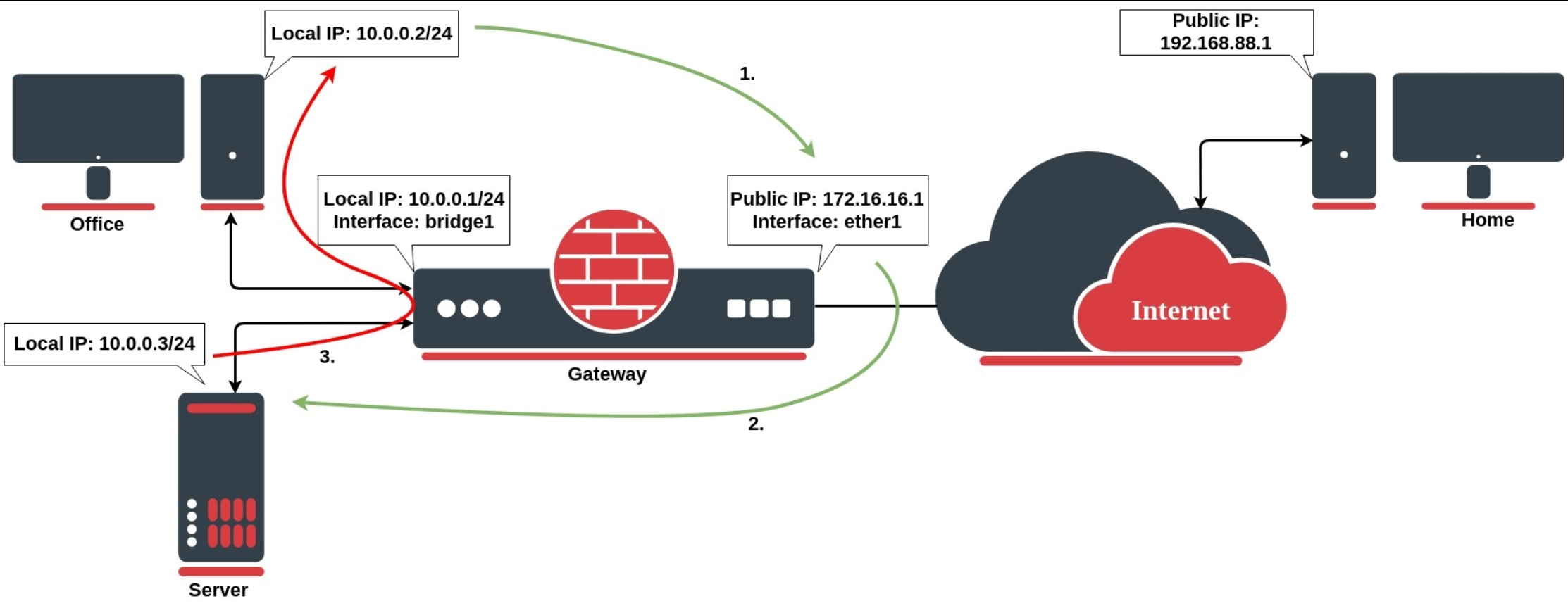
Internet not working behind MikroTik
Port forwarding not accessible from outside
NAT rule shows zero hits
NAT works sometimes, then stops
Works from router but not from clients
NAT rules depend heavily on the correct interface.
Common mistake:
Using the wrong WAN interface
WAN interface not added to WAN interface list
Example (correct masquerade):
If the interface list is wrong → NAT will never trigger.
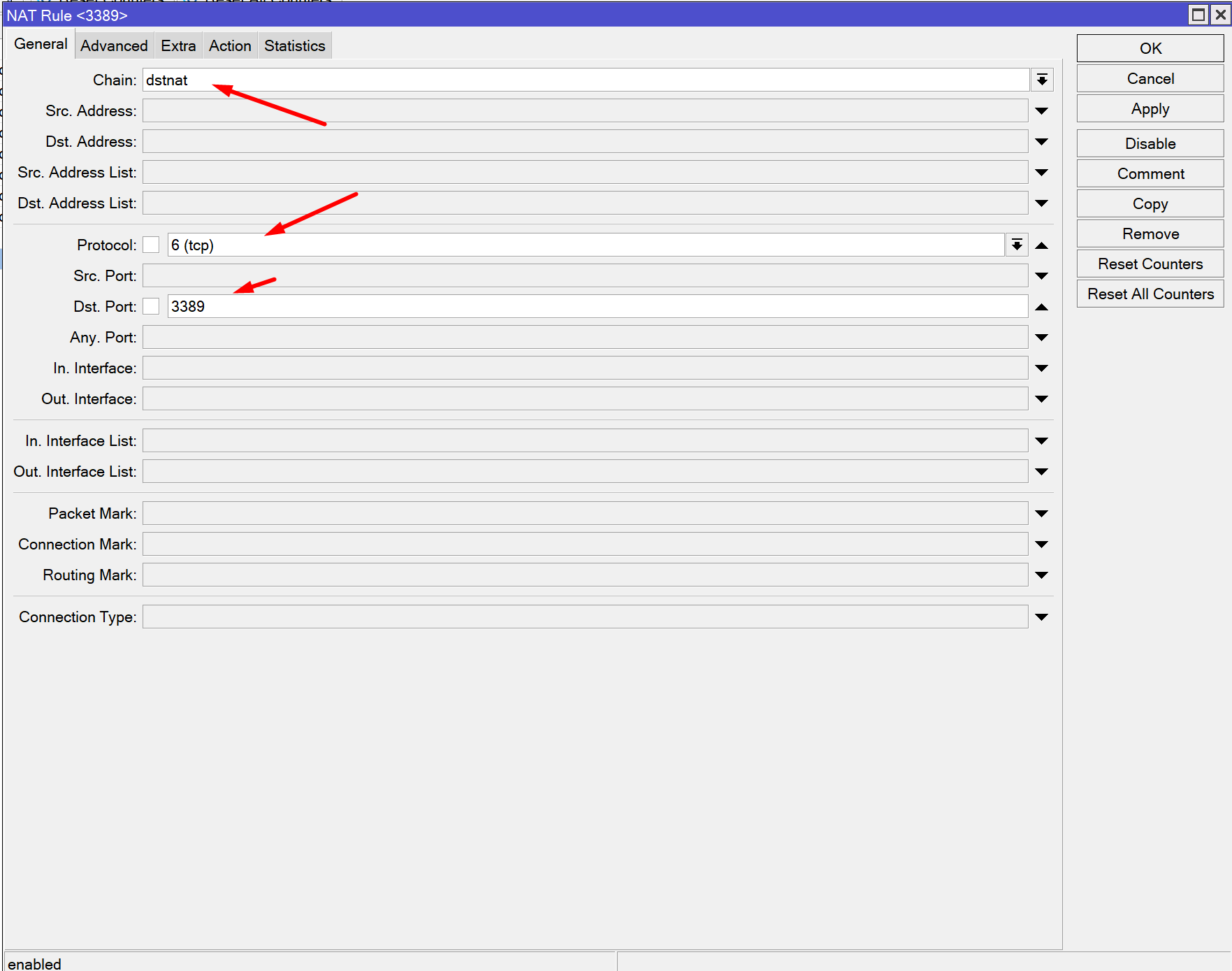
Just like firewall rules, NAT rules are processed top to bottom.
Common mistake:
A generic rule placed above a specific rule
Disabled rule blocking the logic
Always place:
Specific dst-nat rules at the top
General masquerade rules below
NAT does not bypass firewall filter rules.
Even if NAT is correct:
Traffic can still be dropped in forward chain
Check for:
Missing accept LAN → WAN rule
Drop rules placed too early
Firewall rules and NAT must work together.
NAT alone does not fix routing issues.
Check:
Default route exists
Gateway is reachable
Correct routing table is used
Without proper routing, NAT will never succeed.
Masquerade is designed for dynamic WAN IPs.
Common mistake:
Using masquerade with static public IPs and complex setups
In advanced scenarios, src-nat with a fixed address may be required instead.
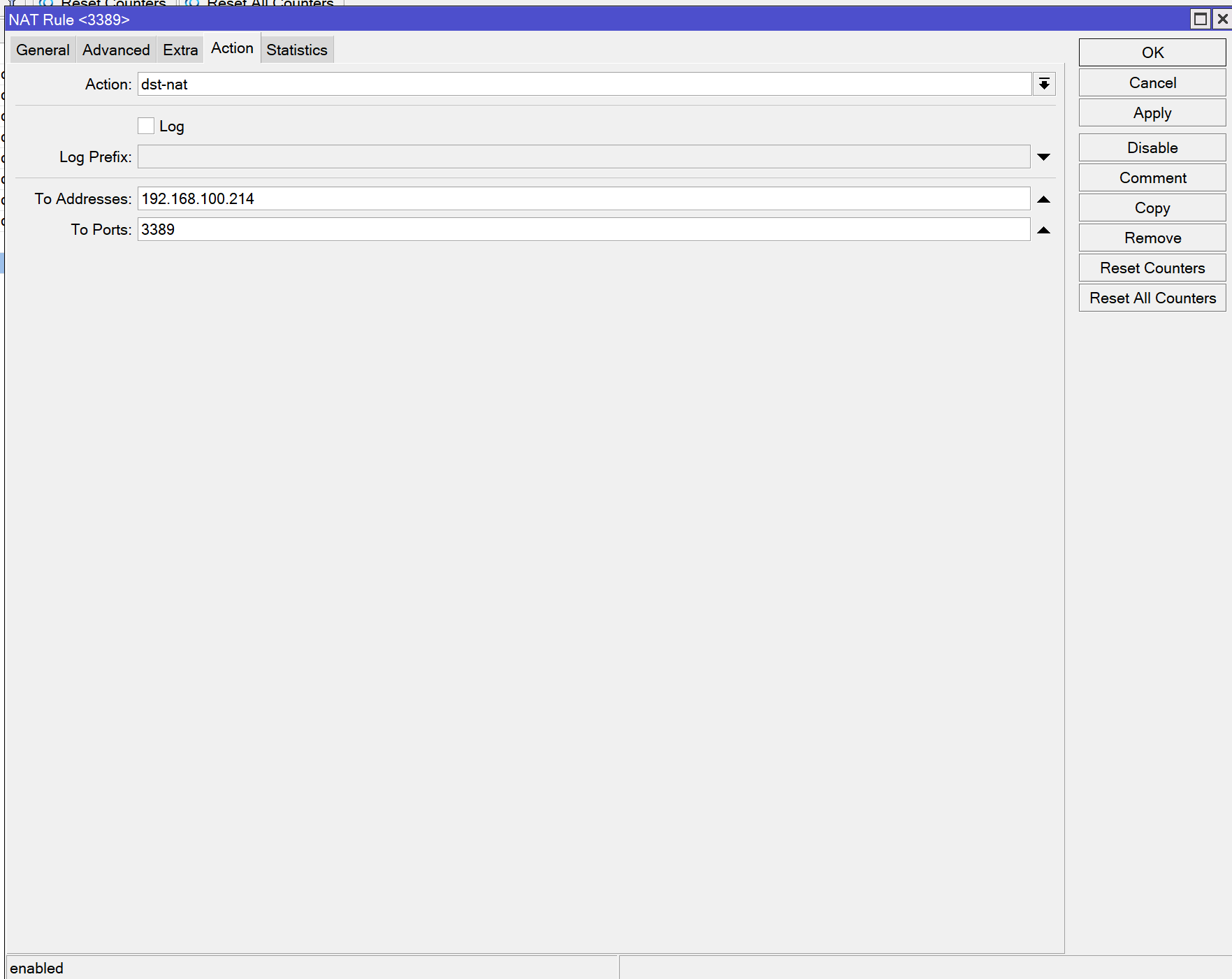
For dst-nat (port forwarding), firewall rules are mandatory.
You must allow forwarded traffic:
Without this rule, port forwarding will silently fail.
Trying to access a forwarded service using the public IP from inside the LAN may fail.
This is not a NAT failure—it’s a hairpin NAT issue.
Solution options:
Use internal IP for testing
Configure hairpin NAT properly
Check NAT rule counters (hit counts)
Verify WAN interface and interface lists
Review NAT rule order
Confirm firewall forward rules
Test routing and gateway
Test from external network
Each step eliminates one possible failure point.
Always comment NAT rules
Use interface lists instead of hard interfaces
Log NAT rules temporarily when debugging
Keep NAT rules minimal and clean
Simple NAT setups are easier to maintain.
Assuming NAT fixes firewall problems
Forgetting forward chain rules
Copying NAT rules from another router
Testing port forwarding from inside LAN only
When a MikroTik NAT rule doesn’t work, the problem is rarely the NAT rule itself. In most cases, the real cause is interface mismatch, firewall filtering, rule order, or routing issues. Understanding how NAT interacts with firewall and routing makes troubleshooting much faster and more reliable.
Fix the logic—not just the rule.
 Ahmed Ezz
Dec 25, 2025

 WiFi Eg
Dec 23, 2025
 WiFi Eg
Dec 23, 2025
 Ahmed Ezz
Dec 25, 2025
 WiFi Eg
Dec 22, 2025

By clicking the button, you are agreeing with our Term & Conditions