Workflow Automation

Simplifying networking, IT, and operational tasks through automation

At WiFi EG, workflow automation is viewed as a practical tool to reduce repetitive work, minimize human error, and improve efficiency in networking and IT environments.
This page focuses on how automation is used in real scenarios, not on theoretical concepts.
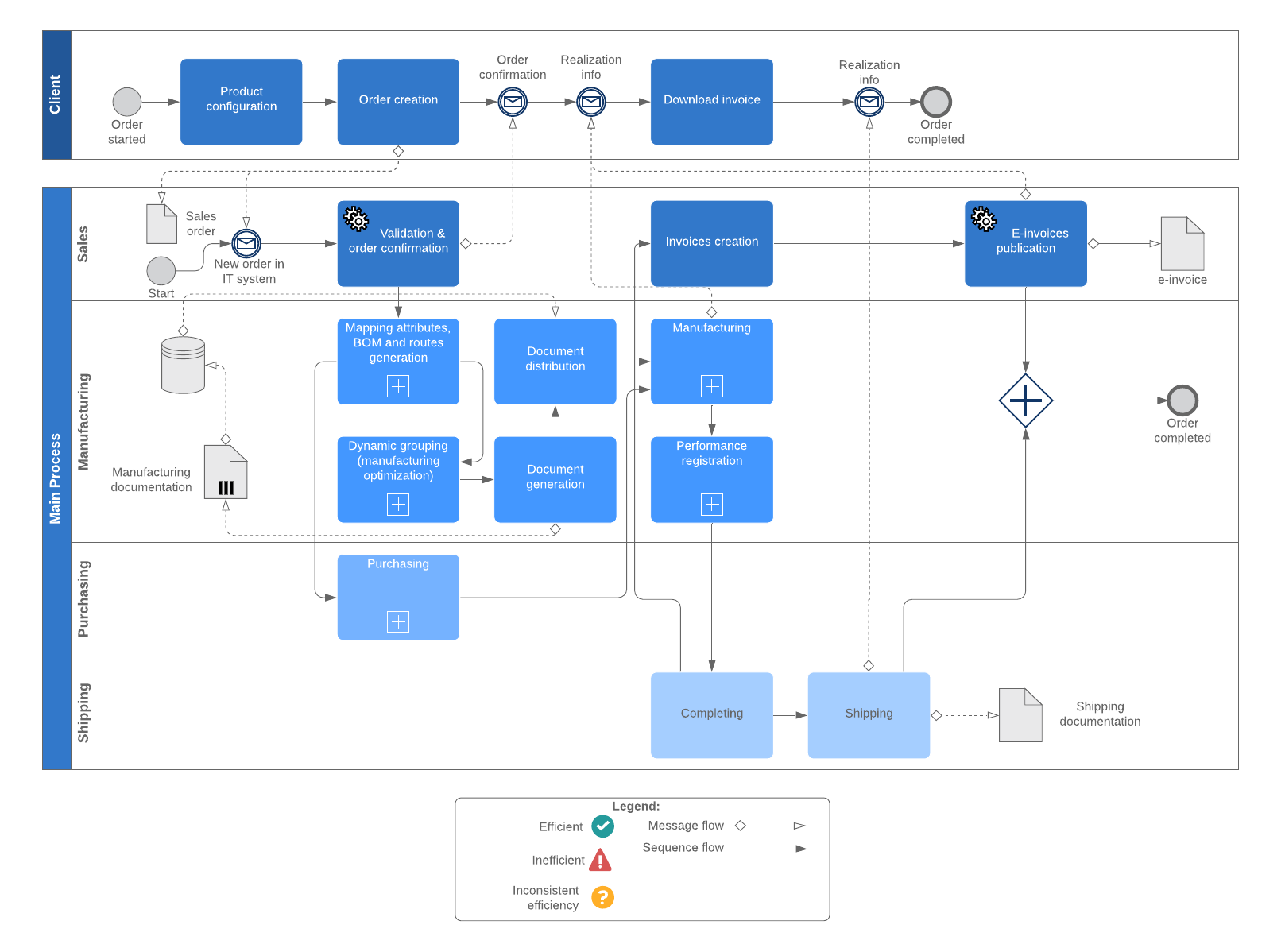
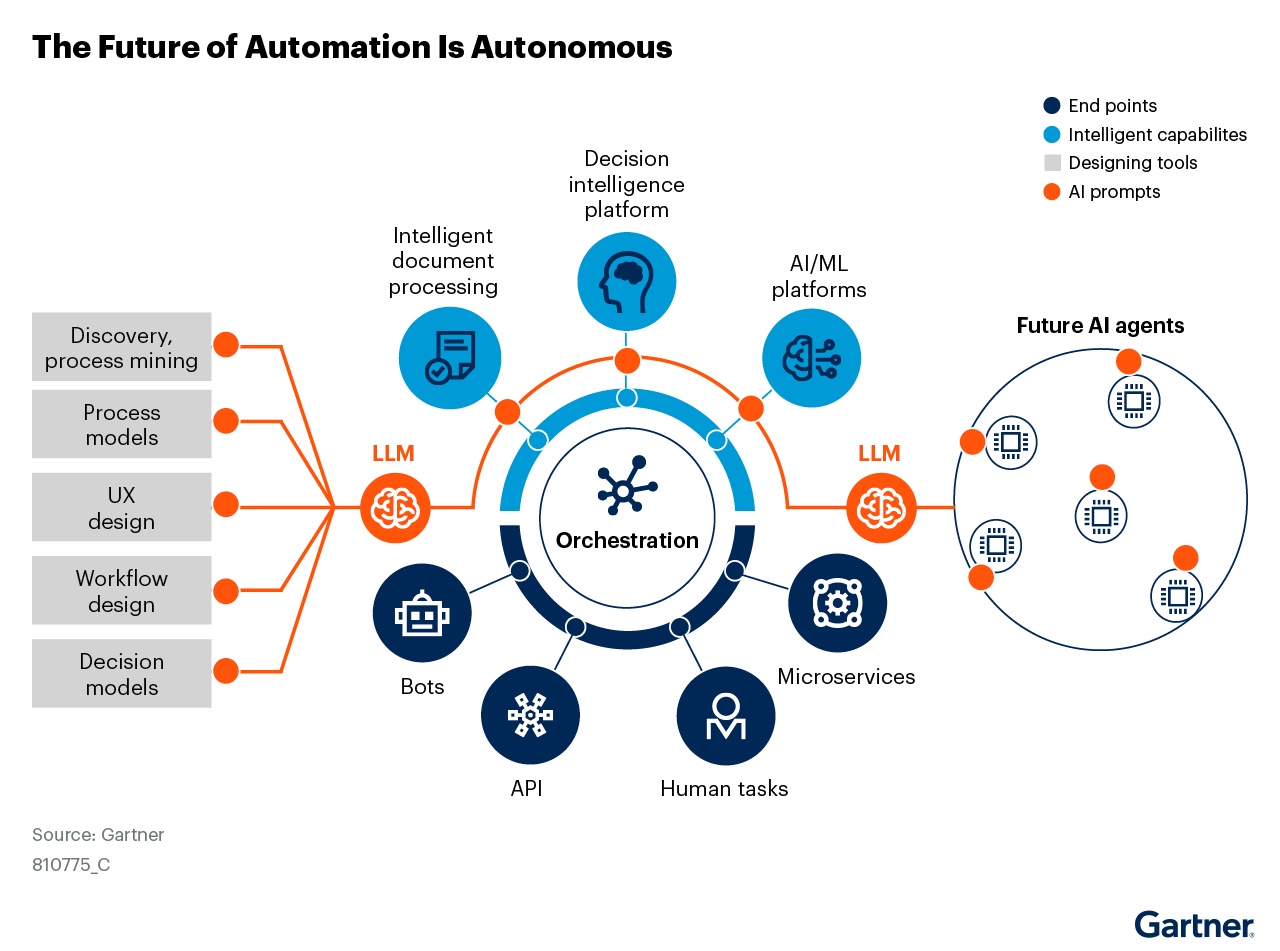
https://corporate-assets.lucid.co/chart/0bf91fc8-b766-4fe4-9758-83a38300a0e2.png?v=1707846322795

https://nitizsharma.com/wp-content/uploads/2024/04/Network-Automation-workflow-diagram.webp

https://media.mktg.workday.com/is/image/workday/image-1-business-process-automation-guide?dpr=off&wid=1280
4

🔹 What Is Workflow Automation?

Workflow automation is the process of using software tools to execute tasks, processes, or sequences automatically based on predefined rules or triggers.

In IT and networking, automation is commonly used to:

  • Reduce manual configuration
  • Speed up routine operations
  • Improve consistency
  • Enhance monitoring and response

🔹 Why Automation Matters in IT & Networking

Experience shows that many operational issues come from:

  • Repetitive manual tasks
  • Inconsistent configurations
  • Delayed responses to alerts

Automation helps address these challenges by standardizing actions and responses.


🔹 Common Automation Use Cases

🔹 Network Operations

  • Automated device monitoring
  • Alert notifications for downtime or high usage
  • Scheduled backups of configurations
  • Log collection and analysis

Reduces response time and improves visibility.


🔹 IT Administration

  • User and access management workflows
  • System status checks and reporting
  • Automated maintenance reminders
  • Task handover and documentation flows

Keeps operations organized and predictable.


🔹 Security & Compliance

  • Alerting on suspicious activity
  • Log correlation and event tracking
  • Scheduled audits and reports
  • Policy enforcement workflows

Supports proactive security management.


🔹 Business & Operations

  • Ticket creation from system events
  • Integration between tools (monitoring, email, messaging)
  • Automated reporting dashboards
  • Workflow approvals and notifications

🔹 Typical Automation Workflow Structure

1️⃣ Trigger
An event occurs (alert, schedule, form submission, system change)

2️⃣ Condition
Rules determine what should happen next

3️⃣ Action
Automated task is executed (notification, script, update, report)

4️⃣ Feedback / Logging
Results are logged or reported for tracking and improvement


🔹 Tools Commonly Used for Workflow Automation

Workflow automation often relies on tools that can:

  • Integrate with APIs
  • Connect different systems
  • Run logic-based workflows
  • Provide logging and monitoring

The value comes from how tools are combined, not from a single platform.


🔹 Experience-Based Insight

Automation is most effective when applied to stable, repetitive processes — not complex tasks that still require human judgment.

Successful automation starts small and grows over time.


🔹 Best Practices for Workflow Automation

  • Automate repetitive tasks first
  • Document workflows clearly
  • Test automation in controlled environments
  • Monitor results and adjust rules
  • Avoid over-automation

🔹 Educational Purpose & Transparency

WiFi EG provides educational content about workflow automation in IT and networking contexts.
All examples and explanations are informational and do not guarantee specific operational results.


🔹 Call to Action

Explore Automation Guides
or
Learn How to Automate IT Workflows

Image NewsLetter
Icon primary
Newsletter

Subscribe our newsletter

By clicking the button, you are agreeing with our Term & Conditions

Live Chat Offline

Hi there! How can we help you today?

Powered by FOB Live Chat
Your experience on this site will be improved by allowing cookies Cookie Policy