
Slow Wi-Fi is one of the most frustrating technology problems at home or in small offices. You may have a fast internet plan, yet videos keep buffering, pages load slowly, or connections drop unexpectedly. In many cases, the issue is not your internet speed—but how your Wi-Fi network is set up and used.
In this article, we’ll explain the most common reasons for slow Wi-Fi and how to fix them using simple, practical steps.
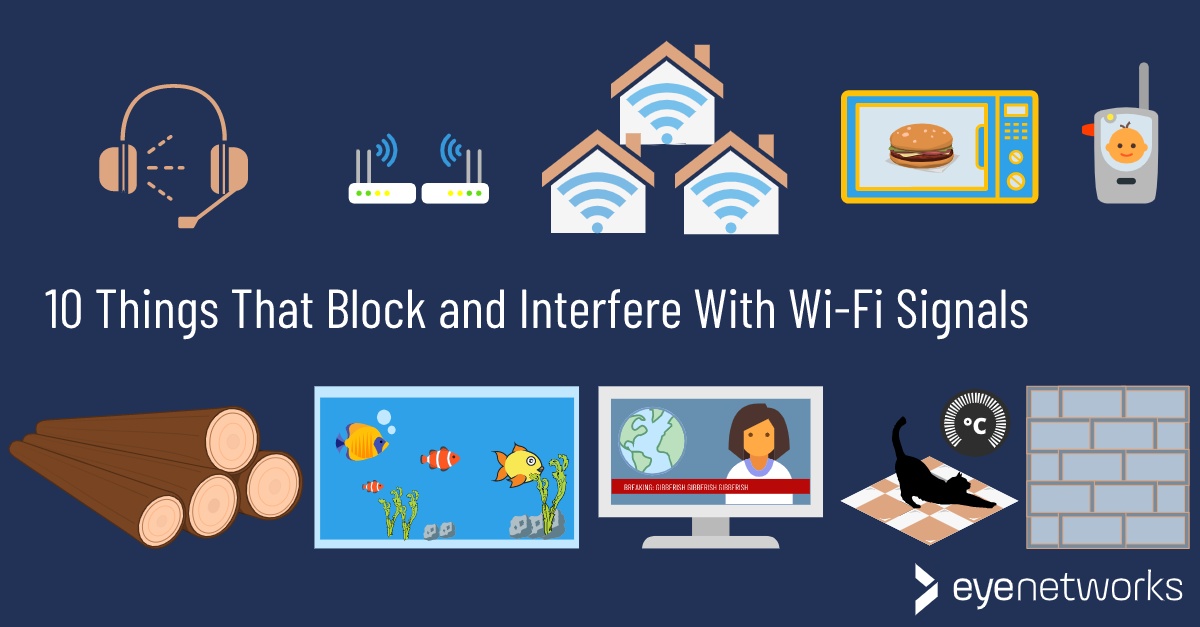
Wi-Fi signals weaken when they pass through walls, floors, and furniture. Placing the router in a corner or behind objects limits coverage.
Every connected device shares the same bandwidth. Smart TVs, cameras, phones, laptops, and smart home devices can overload the network.
Nearby Wi-Fi networks, Bluetooth devices, baby monitors, and even microwaves can interfere with your signal.
Older routers may not support modern speeds, security standards, or multiple devices efficiently.
Large homes, multiple floors, or thick walls can block Wi-Fi signals.
Your Wi-Fi may be fine, but your internet plan might not match your usage needs.
Automatic updates, cloud backups, and streaming services can consume bandwidth without notice.
Weak passwords or outdated security settings may allow unknown devices to connect to your network.
Consider upgrading if:
A modern Wi-Fi setup often solves multiple issues at once.
Slow Wi-Fi is usually caused by simple, fixable problems such as poor placement, interference, outdated equipment, or overloaded networks. By identifying the real cause and applying the right solution, you can significantly improve your Wi-Fi performance without unnecessary expenses.
 Ahmed Ezz
Dec 25, 2025
 WiFi Eg
Dec 23, 2025
 WiFi Eg
Dec 23, 2025
 Ahmed Ezz
Dec 25, 2025
 Ahmed Ezz
Dec 25, 2025

By clicking the button, you are agreeing with our Term & Conditions