
A well-designed network is essential for any small office. It supports daily operations, ensures stable internet access, protects data, and allows teams to work efficiently. The good news is that designing a simple and reliable office network doesn’t require complex enterprise equipment or advanced technical skills.
In this guide, we’ll explain how to design a practical small office network step by step, focusing on reliability, scalability, and ease of management.
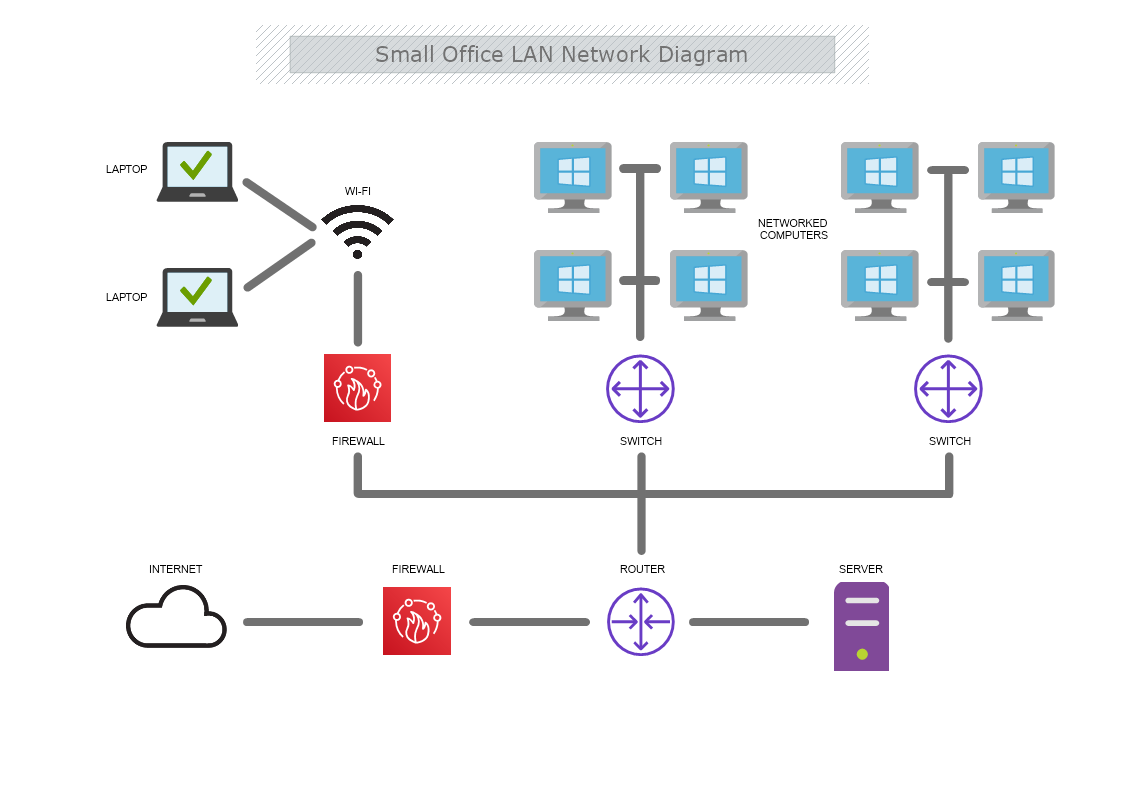
Before choosing any equipment, define your needs clearly.
How many users will connect?
What devices are used (PCs, printers, IP phones, cameras)?
Is Wi-Fi or wired connection more important?
Do you need remote access or guest Wi-Fi?
Clear requirements prevent overdesign and unnecessary costs.
The internet connection is the backbone of the office network.
Select a business-grade internet plan if possible
Ensure stable upload and download speeds
Use a reliable ISP with good support
For offices, stability often matters more than raw speed.
The router manages internet access and network traffic.
Use a reliable router with firewall features
Avoid consumer-grade devices for busy offices
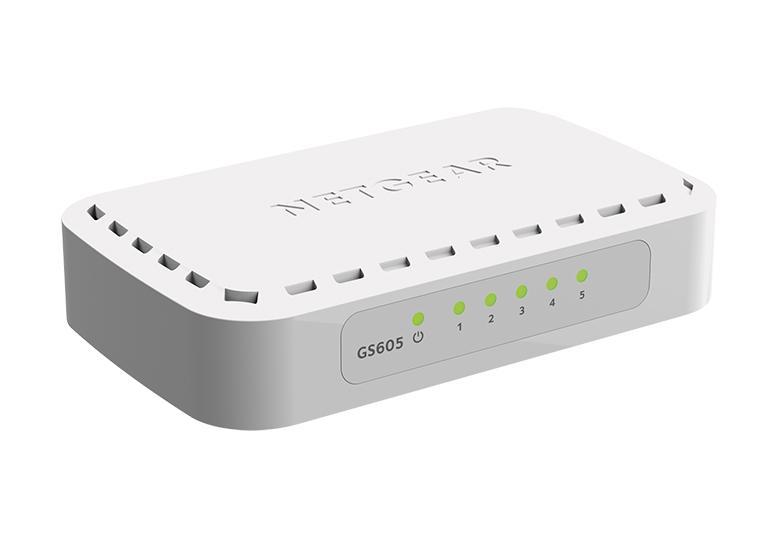
A network switch connects wired devices.
Choose a Gigabit switch
Ensure enough ports for growth
Managed switches offer better control (optional)
For Wi-Fi coverage:
Use dedicated access points
Place them centrally
Avoid relying on a single router for Wi-Fi
This improves coverage and performance.
Good physical layout improves reliability.
Use structured Ethernet cabling
Label cables and ports
Avoid running cables near power lines
Keep network equipment in a secure location
Clean cabling makes troubleshooting much easier.
Even in small offices, separation improves security.
Office devices
Guest Wi-Fi
IP cameras or IoT devices
Network separation limits security risks and improves performance.
Security should be included from day one.
Change default passwords
Enable firewall features
Use strong Wi-Fi encryption (WPA2/WPA3)
Disable unused services
Simple security steps prevent common threats.
A good design should support expansion.
Extra switch ports
Additional access points
Higher internet speeds
New devices or staff
Planning ahead saves time and money later.
Using home routers for office networks
Ignoring security settings
Poor Wi-Fi placement
No documentation
Avoiding these mistakes improves long-term stability.
Designing a small office network doesn’t have to be complicated. By understanding your needs, choosing reliable equipment, and following basic best practices, you can build a network that is secure, scalable, and easy to manage. A simple, well-planned network often performs better than an overcomplicated one.
 Ahmed Ezz
Dec 25, 2025
 WiFi Eg
Dec 23, 2025
 WiFi Eg
Dec 23, 2025
 Ahmed Ezz
Dec 25, 2025
 Ahmed Ezz
Dec 25, 2025

By clicking the button, you are agreeing with our Term & Conditions