
Choosing the right router is one of the most important decisions when building a home or office network. A good router can provide stable internet, strong Wi-Fi coverage, and support for multiple devices, while a poor choice can lead to slow speeds, weak signals, and constant connection issues.
In this guide, we’ll explain how to choose the right router based on your real needs—not marketing claims.
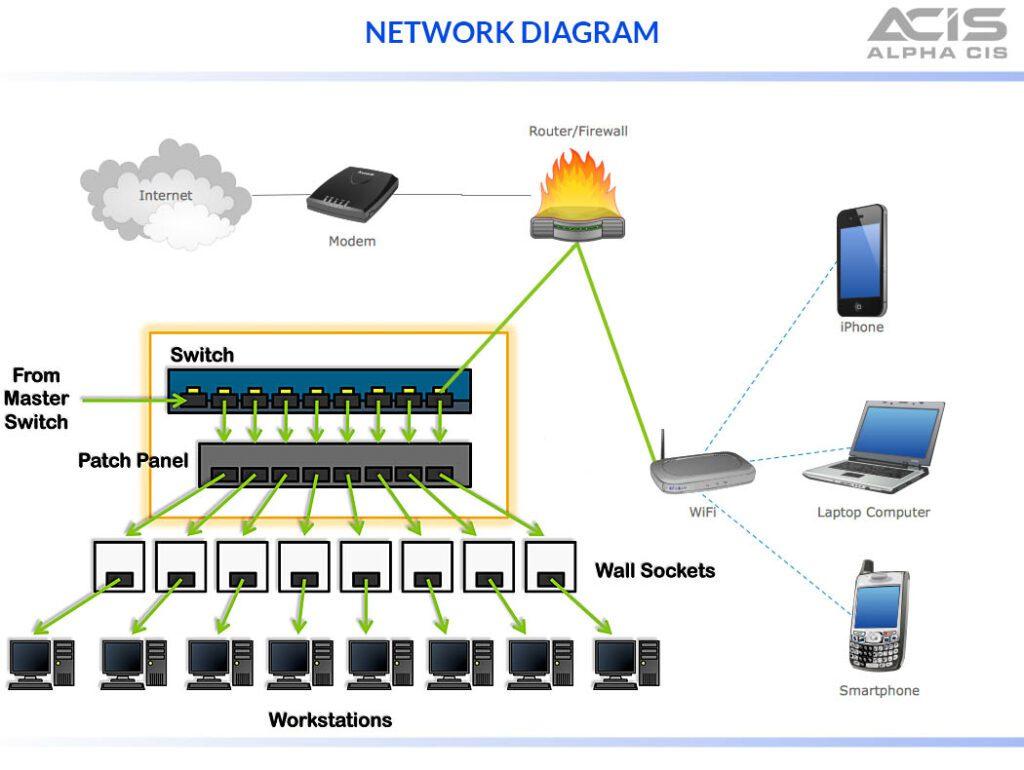
The size of your home or office and how you use the internet directly affect router performance.
Small apartments and large offices require very different solutions.
Best for:
Best for:
Mesh systems eliminate dead zones and improve reliability.
Check:
Wired connections are still the most stable option for critical devices.
Look for:
Newer standards handle more devices efficiently.
Tri-band routers reduce congestion in busy networks.
Security should never be optional.
Basic security protects all connected devices.
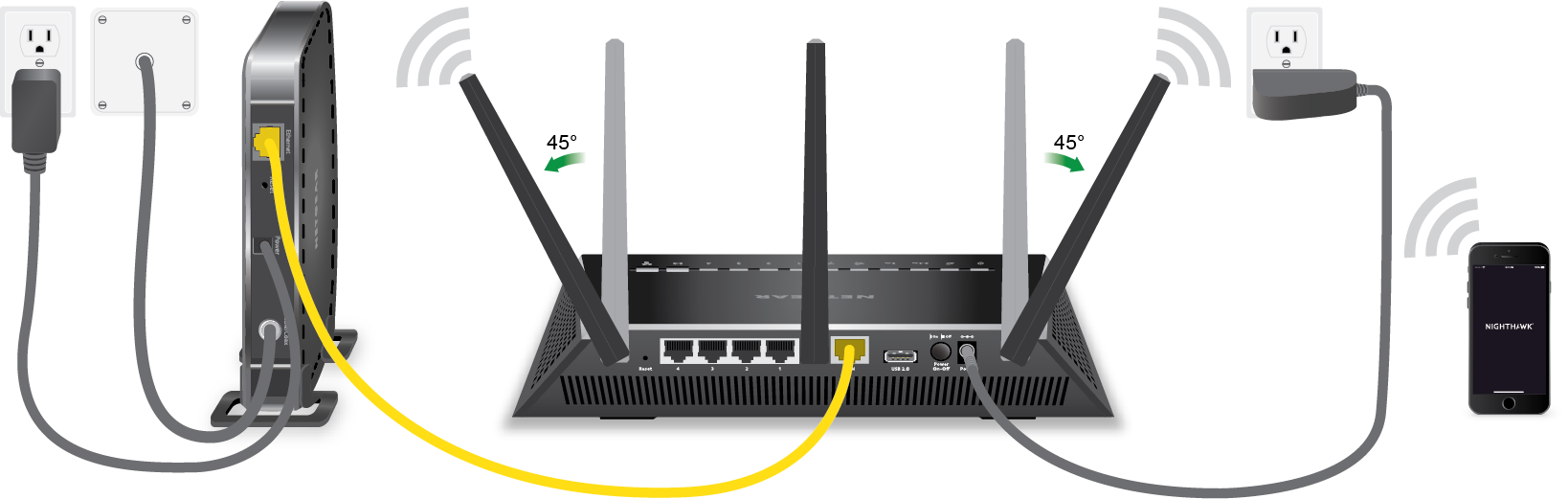
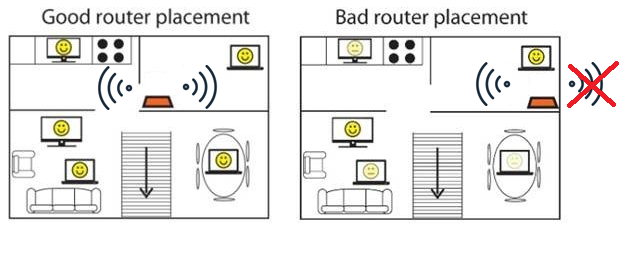
Even the best router performs poorly if placed incorrectly.
Good placement improves performance without extra cost.
Office environments usually require more robust hardware.
Cheap routers may work initially but often fail under load.
Investing in the right router saves time and frustration.
The best router is the one that fits your actual needs.
Choosing the right router is about balance—not the highest speed or most antennas. By understanding your space, device count, and usage patterns, you can select a router that delivers stable performance today and remains reliable as your network grows.
 Ahmed Ezz
Dec 25, 2025
 WiFi Eg
Dec 23, 2025
 WiFi Eg
Dec 23, 2025
 Ahmed Ezz
Dec 25, 2025
 Ahmed Ezz
Dec 25, 2025

By clicking the button, you are agreeing with our Term & Conditions